Best BPM software in 2026: 8 platforms compared
Compare eight BPM platforms, including Appian, Pega, Camunda and Enate, by what each one is best for. Includes a guide to when you need orchestration instead.


Last updated: November 2026
Business process management (BPM) software helps you design, run and improve the processes behind your services. Which platform fits depends on who does the work (people, systems or AI agents), how regulated you are and how much developer time you've got. We've compared eight platforms, including our own, and said where each one fits best instead of ranking them. A platform that suits a global insurer with a large IT team won't suit a 300-person fund administrator, and the reverse is true too.
BPM software compared: what each platform is best for
| Platform | Best for | Approach | Worth knowing |
|---|---|---|---|
| Enate | Regulated service operations and BPOs, such as fund administration, corporate services, tax, HR and payroll | No-code orchestration of people, systems and AI agents, with a full audit trail | Built for service operations, so it isn't an IT service management tool |
| Appian | Large enterprises building custom process applications | Low-code platform with process mining and a data fabric | Building and changing apps usually needs trained Appian developers |
| Pega | Large banks, insurers and telcos with complex case management and decisioning | Low-code case management with a real-time decisioning engine | Long implementations, usually run with a systems integrator |
| ServiceNow | IT and enterprise service management across a large organization | Workflow platform built on ITSM | Best value if you already run ServiceNow for IT |
| Camunda | Engineering teams automating complex, high-volume processes | Developer-first orchestration engine using BPMN and DMN | Needs developers to build and maintain processes |
| Bizagi | Organizations focused on process modeling and business rules | Low-code BPM with a process modeler and rules engine | Modeling-heavy approach takes time to learn |
| Kissflow | Mid-sized teams running approvals and form-based workflows | No-code workflows and low-code apps | Limited for complex, multi-step service delivery |
| Process Street | Teams standardizing recurring procedures | Checklist-led workflows | Less suited to high-volume case work |
What is Business Process Management (BPM) software?
The inner workings of any organization are typically multi-layered, intricate and often downright confusing. The purpose of Business Process Management (BPM) software is to rectify this, gathering scattered processes together and orchestrating them so a business operates at its best, leanest level.
The key purposes of BPM software are designed to simplify workflows, integrating with existing systems so you can manage everything in one place. Combine this innovative approach with cutting-edge automation capabilities and you have a solution that will transform your business operations.
Different types of Business Process Management (BPM) software
There are three main types of BPM software on the market and they all suit a different purpose.
Human-centric BPM: This software focuses on optimizing tasks that are performed by people, aiding effective management through access controls and task allocation. As such, it’s good for areas like customer service, taking employees through a structured procedure that emphasises efficiency and accountability.
Document-centric BPM: The creation and handling of documents is simplified by this solution. It’s particularly useful for generating regulatory and financial documents, for which precision and accuracy are vital.
Integration-centric BPM: A solution that facilitates data flow across business software and department-specific tools, reducing errors and streamlining workflows. For example, in supply chain management, it automates order details transfer, enabling seamless coordination.
How can BPM benefit your business?
Aside from the obvious efficiency gains that come with implementing a BPM software solution, there are several other advantages for businesses. Automating time-intensive and repetitive processes reduces manual labor and delivers significant cost savings and error reduction.
BPM software is also centralized by nature which means its built to scale, enabling businesses to expand without stunting operational performance. Plus, BPM solutions improve the agility an organization needs to achieve sustained growth in a competitive market.
What’s more, these solutions guarantee that people, assets, and time are used efficiently, resulting in heightened resource optimization. Overall, a BPM solution can reshape the entire operational landscape of a business, bringing performance improvement into every department, task, and process.
That covers the fundamentals of BPM. Here are the eight platforms in more detail.
Enate
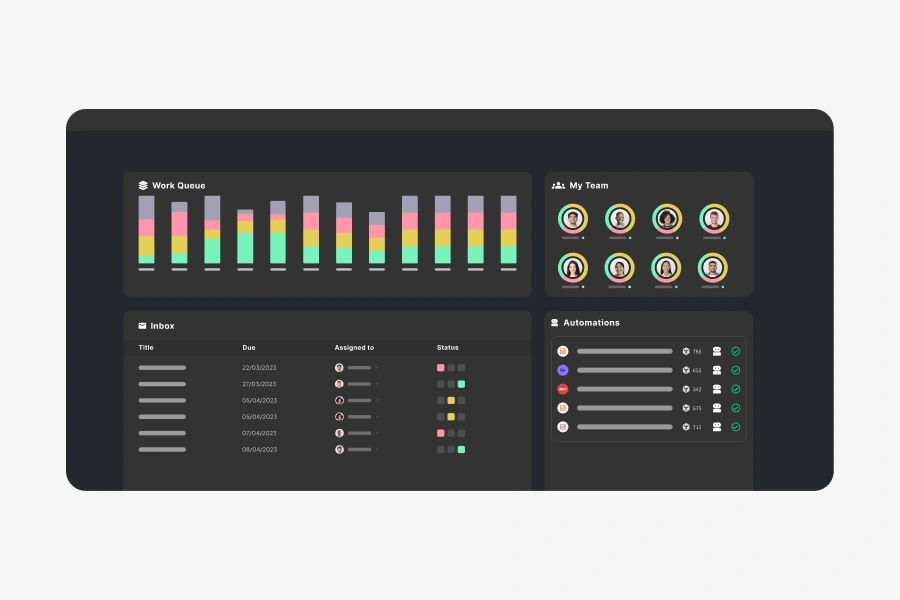
Enate is an orchestration platform built for regulated service businesses: fund administrators, corporate service providers, BPOs and tax, HR and payroll teams. It brings people, systems and AI agents together on one platform, so every task is visible, goes to the right person or agent and gets done the same way every time. Each case keeps a timestamped record of what happened, which matters when clients and regulators ask.
Best for: regulated service operations and BPOs that run client work across teams, systems and AI agents, and need to show how every piece of work was handled.
Strengths: no-code configuration, SLA tracking against client agreements, built-in AI for email classification, sentiment analysis and document extraction, and connections to RPA bots and existing systems, so there's no rip and replace. Orchestration goes live in 6 weeks, with ROI within 3 months.
Limitations: Enate is built for service operations. If you need IT service management, ServiceNow is the more natural fit. If you want a general platform for developers to build any kind of process app, look at Appian or Camunda.
Proof: TMF Group achieved a $43M margin improvement using Enate.
Pricing: on request.
Appian
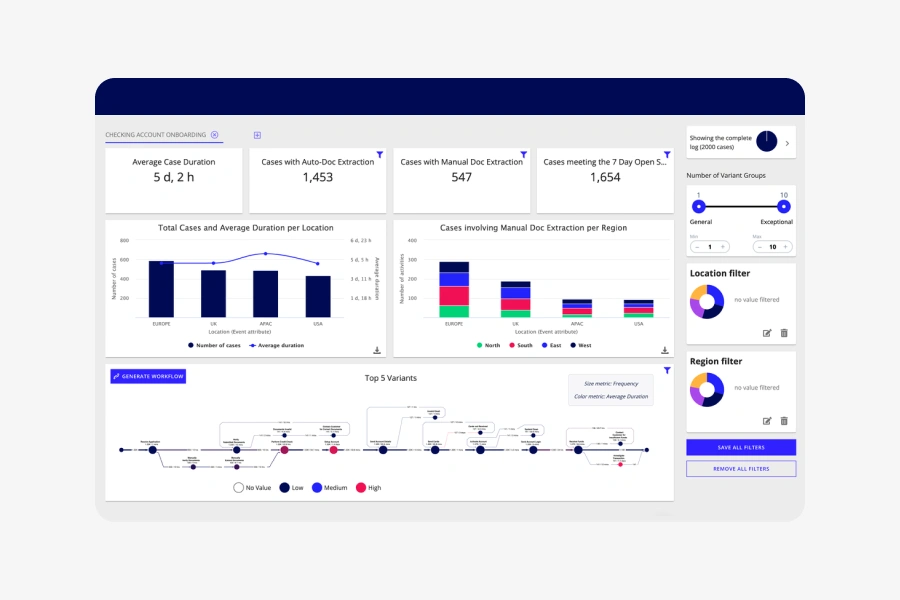
A major player in the low-code BPM space, Appian is recognized for its robust process model capabilities.
Pros:
- Appian is praised for its ability to design and deliver business solutions swiftly and dependably.
- The platform offers extensive out-of-the-box functionalities, making business process management more efficient.
- It's known for its ease of integration with third-party systems.
- The no-code development environment is a big plus, enabling quick app creation.
- Users appreciate the cloud-based solution, providing easy access and enhancing usability.
- Appian keeps up with market demands like AI, Document Processing, and RPA.
Cons:
- One notable drawback is the limited UI customization, as it relies heavily on standard components.
- There are aspects of usability and user provisioning that could be improved.
- The UI model could benefit from more sophistication, and the delivery model might be simplified.
- Handling large amounts of data can be inefficient on Appian.
- The cost could be a concern for smaller organizations.
Best for:
- Appian is well-suited for large enterprises and organizations that require powerful process modeling and integration capabilities. It's effective for automating business processes and integrating with other systems.
Pricing
On request from the vendor.
Appian offers powerful process model capabilities and ease of use, making it a strong candidate for businesses looking to streamline their operations with a low-code solution. However, the UI customization limitations might be a consideration for some businesses.
Pega
Pega is an enterprise platform for case management, decisioning and client engagement, used mostly by large banks, insurers, telcos and government bodies. Its decisioning engine works out the next best action for each case in real time, and Pega GenAI helps teams design new workflows.
Best for: large organizations with complex, high-volume case work and the budget for a long implementation.
Strengths: mature case management, a strong decisioning engine and wide adoption in financial services.
Limitations: it's a large platform, so most clients work with a systems integrator and need specialist Pega skills to make changes.
Pricing: on request from the vendor.
ServiceNow

Known for its powerful service capabilities and intuitive user interface, ServiceNow is a cloud-based workflow automation platform, featuring a number of low-code/no-code tool options.
Pros:
- ServiceNow offers a codeless natural language design tool for building workflows and enhancing operational efficiency.
- It provides comprehensive IT Service Management (ITSM) tools for efficient IT service delivery, incident management, and problem resolution.
- The platform's user interface is intuitive and user-friendly, simplifying navigation and task management.
- ServiceNow's Business Process Management (BPM) capabilities enable workflow automation and optimization for seamless business processes.
- It includes robust security protocols, encryption, and access controls for safeguarding sensitive data, along with proactive compliance management features.
- The platform is scalable, adapting well to the changing needs of businesses, handling growing workloads effectively.
Cons:
- There is a steep learning curve associated with ServiceNow, which may require time and resources for new users to become proficient. It’s not the most user-friendly and some reviewers have described it as ‘over-complicated’ and ‘clunky’.
- Users note that more complex customizations and configurations may require workarounds or might not be straightforward to roll out.
- As ServiceNow is such a large company, some users have reported that the help and support can be slow.
- The platform's focus on large-scale operations might make it less suitable for smaller companies with limited scopes or budgets.
Best for:
- ServiceNow is great for medium to large companies that require a flexible platform for ITSM, BPM, and Customer Service Management. It's particularly effective for organizations that need to integrate various systems and manage complex workflows.
Pricing
On request from the vendor.
ServiceNow stands out for its extensive automation capabilities, making it a solid choice for businesses seeking a comprehensive tool for IT service management and business process optimization. Its robust security and scalability make it a reliable option for larger enterprises or organizations with complex IT landscapes.
Kissflow
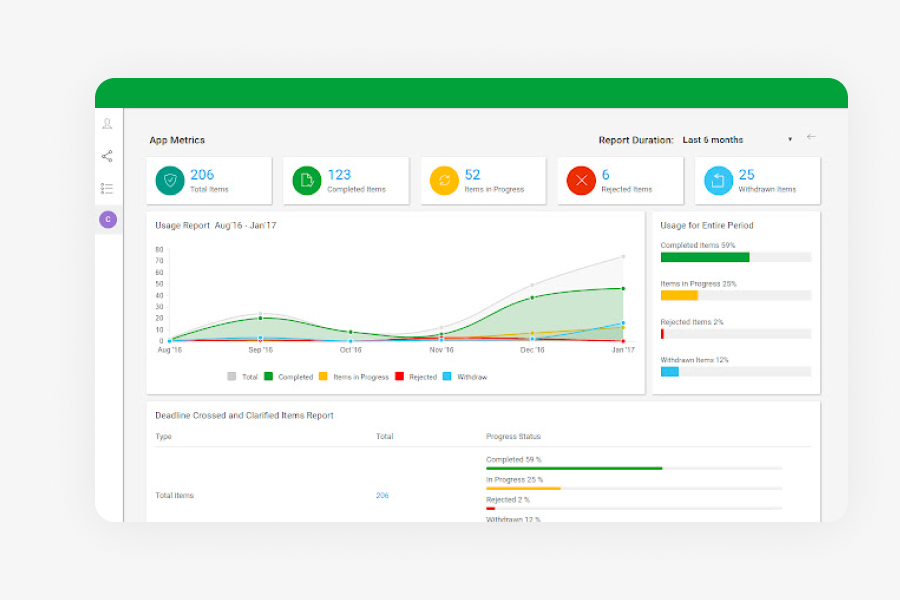
Kissflow is known for its cloud-based business process management and workflow automation capabilities.
Pros:
- Kissflow allows for extensive customization of workflows, enabling users to tailor the tool to specific project needs.
- The platform integrates both project and process management, offering a unified platform, which is a unique feature.
- It provides advanced reporting and analytics capabilities, offering deeper insights through user-friendly dashboards.
- The task management UI feature is intuitive, aiding in efficiently organizing and prioritizing tasks.
- Kissflow supports agile project management, catering to teams that follow agile practices.
- Its mobile app ensures project management on the go, though with limited features compared to the desktop version.
- The platform offers out-of-the-box integrations with popular tools like Google Workspace and Microsoft Office, as well as an API for custom integrations.
Cons:
- Compared to some competitors, Kissflow may lack certain advanced features and integrations desired by larger enterprises or highly complex projects.
- Although user friendly and low-code, the platform has a steep learning curve, particularly in mastering workflow automation and template customization.
- While Kissflow provides good customer support, response times can vary, and some users find the depth of resources insufficient or outdated.
- The mobile experience is less comprehensive than the desktop version.
Best for:
- Kissflow is suited for mid-sized teams that prioritize customization and are capable of navigating its initial learning phase.
- Process-driven teams and data-driven companies will find the customizable workflows and advanced reporting tools beneficial.
- It's ideal for medium to large businesses, particularly in sectors like IT, manufacturing, and services.
Pricing
On request from the vendor.
Kissflow is a strong choice for organizations that need a BPM tool with strong customization capabilities, integrated process management, and robust reporting features. However, its potential complexity and learning curve might be challenging for smaller teams or those seeking a more straightforward solution.
Process Street

Process Street is a business process management tool known for its AI-powered process management capabilities.
Pros:
- Process Street offers flexibility in task management with dynamic checklist features that evolve based on inputs or actions.
- It enables no-code workflows to automatically adjust based on specific criteria, leading to more intelligent and efficient process management.
- The software excels in automating workflows with triggers that initiate processes based on specific actions or events.
- Process Street provides extensive integration options, including an API for custom integrations, enhancing workflow management.
- Offers a variety of customizable templates that can be tailored to specific needs, aiding in standardization and efficiency
- Though Process Street has a learning curve, users generally find the interface intuitive once accustomed to the layout.
- The platform offers reasonable customer support through various channels, including live chat and documentation.
Cons:
- While user-friendly, mastering the platform's more complex features, like conditional logic and integration, can take time.
- Some user reviews complain about ‘complexity’ and ‘slowness’ in relation to process creation.
- For certain tasks, Process Street relies heavily on external applications and connections.
- There is limited offline access which could be a drawback for teams working in remote, internet-challenged environments.
Best for:
Overall, Process Street is a decent option for teams in both small and large-sized companies requiring detailed process management and standardization. It offers plenty for various industries but is recommended particularly for healthcare, IT, software, manufacturing and HR.
Pricing
On request from the vendor.
In conclusion, Process Street has lots to offer in the way of BPM tools with checklist creation, conditional logic, and automated workflow triggers cited as a few of its top features. It's particularly effective for teams that require detailed process management and standardization, despite its learning curve and reliance on external apps for some functions.
Camunda
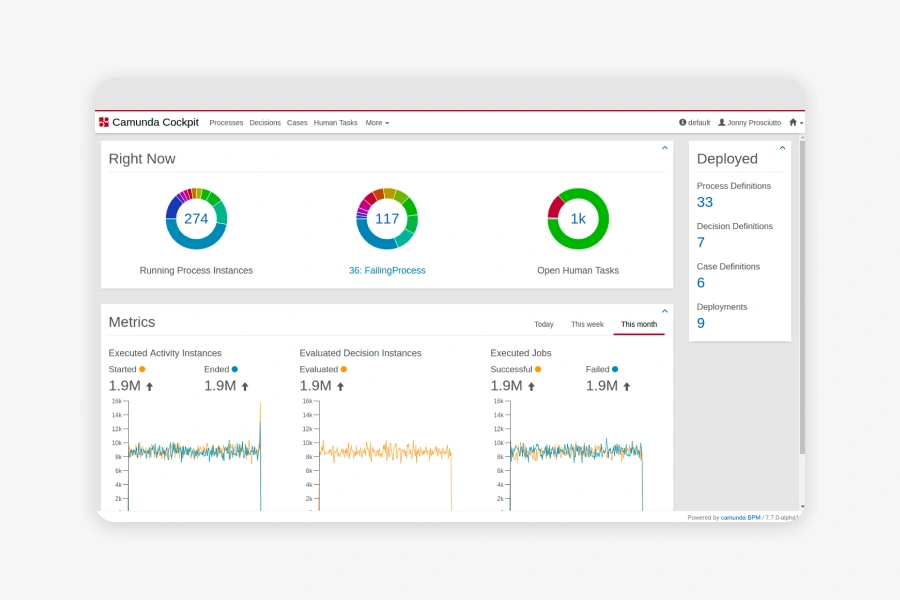
Camunda positions itself as a process automation software that stands out for its powerful process improvement capabilities.
Pros:
- Camunda offers strong BPMN support and excels in embracing BPMN 2.0 standards, which is crucial for designing, implementing, and visualizing complex workflows.
- The open-source nature of Camunda fosters a community-driven approach, leading to continuous improvements and a rich ecosystem.
- It offers detailed visibility and insights into running processes, which is beneficial for identifying bottlenecks and optimizing operations in real-time.
- Camunda provides a comprehensive set of tools including BPMN workflow engine, CMMN case management, and DMN decision automation.
- It’s built for scaleability and can handle increased workloads, making it suitable for growing businesses.
Cons:
- The broad feature set can be initially overwhelming, especially for those new to process orchestration. Some users report the platform is ‘complex to learn.’
- Some users may find that out-of-the-box integrations are not sufficient, necessitating high-cost custom solutions.
- The user interface could benefit from a more modern and intuitive redesign.
Best for:
- Camunda is suited to large enterprises with intricate workflows, especially those in need of deep customization, such as financial institutions, insurance firms, and telecom companies.
- The tool may not be the best fit for smaller businesses with straightforward workflows or those looking for a simple plug-and-play solution.
Pricing
On request from the vendor.
Overall, Camunda's comprehensive suite, from its BPMN workflow engine to decision automation and case management makes it a strong competitor in the process orchestration space. Its commitment to open standards and an open-source ethos ensures compatibility and future-readiness. However, the initial learning curve and occasional integration challenges are factors to consider.
Bizagi

Bizagi is a low-code BPM tool known for its comprehensive business process management solution and automation capabilities.
Pros:
- Bizagi excels in process improvement including documenting, reporting, and optimizing broader business processes.
- The tool provides an effective business rules engine with capabilities to document, report on, and optimize business rules.
- It works well with RPA technologies and has the ability to automate processes.
- Bizagi supports real-time production environments through BPMN, facilitating full build-test-edit-deploy cycles.
- Offers advanced process monitoring capabilities for analytics and performance measurement.
- Efficiently handles BPM tasks such as event processing, exception handling, and approvals.
- Provides robust building and layout capabilities for forms and reports.
- Facilitates co-worker collaboration in real or near real-time.
Cons:
- Some users find the documentation daunting, especially for beginners.
- Simplified setup for local machines could be improved to help developers test changes quickly.
- There are occasional issues with heap memory management, resulting in stuck processes.
Best for:
- Bizagi is particularly suited for businesses that require detailed process management and business rules management. It’s ideal for those looking for a tool to manage complex business processes and optimize workflows.
Pricing
On request from the vendor.
Overall, Bizagi is praised for its ability to effectively manage and optimize business processes and workflows. Its robust process management, business rules engine, and monitoring capabilities make it a strong choice for organizations focused on detailed process optimization. However, users should be prepared for a bit of a learning curve and potentially complex setups.
How to choose BPM software
Start with who does the work. If most of it is done by people following approvals, a simple no-code workflow tool will cover it. If it's mostly systems passing data to each other, you want an integration platform. If work moves between people, bots and AI agents before it's finished, you'll need something that orchestrates all three.
Then look at who'll build and change your processes. Appian, Pega and Camunda give you a lot of power, but you'll need developers or a partner to use it. No-code platforms let operations teams make changes themselves, which matters if your processes change every time a client contract does.
If you're regulated, ask each vendor to show you the record a single case leaves behind. You should be able to see who or what worked on it, when and what they decided. Finally, ask how long it takes to go live and what you'll see in the first three months.
When to choose an orchestration platform instead of BPM
Traditional BPM was designed for processes that people follow step by step. Most service operations now look different. A client request might be read by an AI model, checked by a bot, approved by a person and sent back through a client portal. An orchestration platform runs that whole piece of work. It decides what happens next, who or what does it and whether it met the client's deadline.
You'll probably want orchestration if work passes between people, bots and AI agents, if you're measured against client SLAs, or if you need to show regulators how each decision was made. You probably don't need it if you're automating a handful of simple tasks inside one team.
Conclusion
Each business process management software solution in this list has unique strengths, and the final decision rests with your own specific needs and how they align with the capabilities of each tool. It's also beneficial to consider other factors such as pricing, integration capabilities with the existing tech stack, support, and scalability for future growth.
When considering purchasing any software tool, it’s always recommended to set up a call with the vendor, and carry out a comprehensive proof of concept or trial of the tools to assess their fit in your practical actual work environment. These next steps offer a transparent view of whether the software will match your expectation in reality.
For a more detailed look at the different factors involved in choosing a BPM tool, this blog will tell you everything you need to know.
FAQs
What is BPM software?
BPM software helps organizations map, run and improve their business processes. It assigns tasks, tracks progress and reports on how long each step takes.
What's the difference between BPM and process orchestration?
BPM focuses on designing and running processes, mostly for people. Process orchestration coordinates the whole piece of work across people, systems, bots and AI agents, and decides what happens next at each step.
What's the best BPM software for regulated industries?
Look for a platform that keeps a full record of every case, lets you control which tasks AI can handle alone and has experience in your sector. Enate is built for regulated service operations such as fund administration and corporate services. Pega and Appian are widely used by large banks and insurers.
What's the best BPM software for BPOs?
BPOs need to run work for many clients, each with different processes and SLAs, on one platform. Enate is built for this. Platforms like ServiceNow and Pega can do it too, but they usually need more configuration and specialist skills.
Is Enate a BPM tool?
Enate is an orchestration platform. It does what BPM does, assigning and tracking work, and also coordinates AI agents, bots and systems alongside people.